

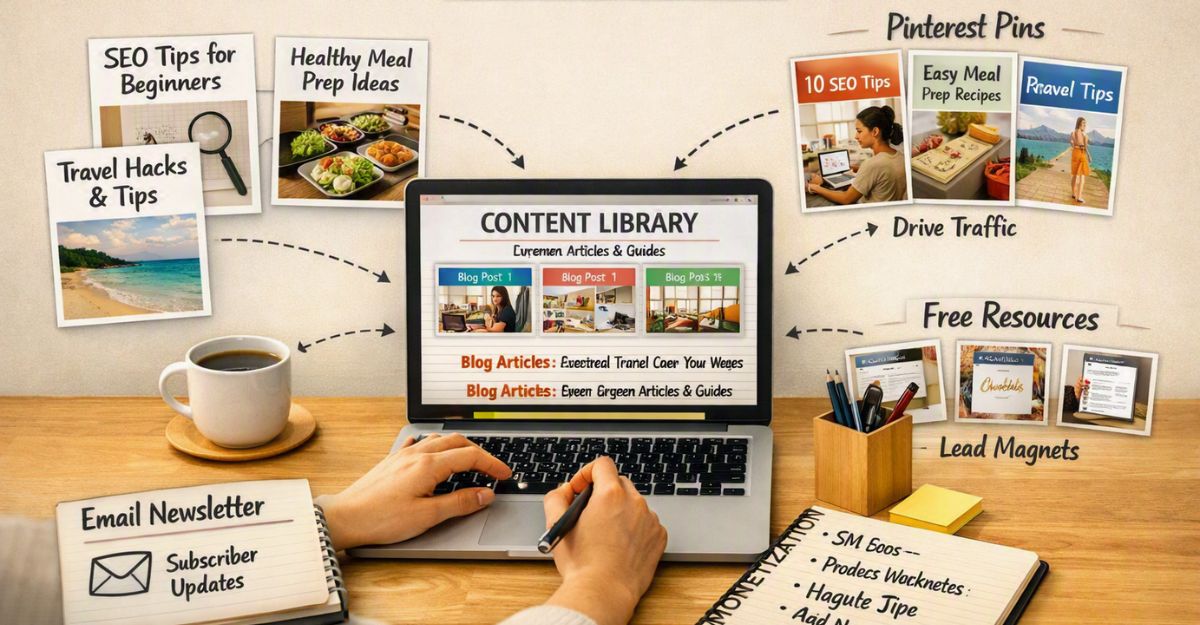
I was much more concerned with writing the next article, getting it published, and trying to figure out how to get people to actually find it. Once an article was live, I was ready to move on to the next one.
Looking back, I was leaving something important on the table. Your articles shouldn’t exist as separate pieces of content sitting around your website. They should work together.
When you connect related articles with internal links, you make it easier for your readers to continue learning, discover more of your content, and find the information they actually need. And as your website grows, this becomes even more important.
Personal Experience
I didn’t fully understand the value of internal linking when I was starting. I thought that if I wrote a good article, the job was basically finished once I hit publish. I wasn’t thinking about what someone should read next or how one article could naturally lead them into another.
As my website grew, I started to realise that I had all these useful articles sitting on different parts of my site, but I wasn’t connecting them properly.
A reader could arrive at one article, find the information they needed, and then leave. They might never discover another article I’d written that could have answered their next question.
That’s when I started looking at my website differently. Instead of thinking about individual articles, I began thinking about the journey I wanted a reader to take.
If someone is learning about affiliate marketing, what should they read next? If they’re learning about Pinterest, which article should I send them to afterwards? If they’re reading a beginner article, where can they go when they’re ready to take the next step?
Those questions changed the way I approached internal linking. And the more content you publish, the more valuable that way of thinking becomes.
 If you’re new to affiliate marketing, or you’re still waiting for things to finally click, I’d love to help. I’ve created a Beginner Guide that covers everything I wish someone had shown me when I was starting out. If you think it could help you too, you can read it here.
Think of Your Website as a Conversation
Imagine you’re sitting across from someone who’s just starting affiliate marketing. They ask you, “What exactly is affiliate marketing?” You answer the question. Then they say, “Okay, but how do I actually get started?”
You wouldn’t send them away to find the answer themselves. You’d naturally continue the conversation. That’s essentially what internal linking allows your website to do. One article answers one question, then gives the reader an easy path towards the next question they are likely to have.
That makes your website feel much more helpful because you’re not simply giving someone an answer and leaving them on their own. You’re guiding them.
What Is Internal Linking?
Internal linking simply means linking from one page or article on your website to another page on the same website. For example, if I’m writing an article about creating Pinterest traffic for affiliate marketing, I might mention that choosing the right content strategy is important.
That’s a natural opportunity to link to another article I’ve written about creating content for affiliate marketing beginners. The reader can click the link if they want to learn more. Nothing complicated is happening.
You’re simply connecting related pieces of information. And that’s one of the reasons I think beginners sometimes overlook internal linking. It sounds more technical than it really is.
Why Internal Links Matter
One of the biggest benefits is that internal links help your readers discover more of your content. Think about someone arriving at your website for the first time.
They may have found you through Pinterest, Google, LinkedIn, or another source. They don’t know your website yet, and they certainly don’t know everything you’ve written.
If the article they land on contains useful links to related information, you give them a reason to continue exploring. That can turn one page view into several.
More importantly, it can turn a stranger into someone who starts becoming familiar with your work. That’s where the real value lies.

Internal Linking Can Build Trust
There’s another benefit that I think is particularly important for affiliate marketers, and that is trust. When someone reads one helpful article and then discovers that you’ve written another detailed article answering their next question, your website starts to feel more complete.
They begin to see that you’re not simply trying to push a product or make a quick commission. You’re actually trying to help them understand the subject. For a beginner audience, that matters enormously. People who are new to affiliate marketing are already surrounded by promises of easy money and overnight success.
When they arrive at a website that patiently answers their questions and gives them useful resources to explore, the experience feels different. Internal linking is only one part of that, but it contributes to the overall experience.
Your Articles Should Work Together
This is something I think every beginner should understand early. You don’t want twenty-five articles that are completely disconnected from each other. You want twenty-five articles that form a network.
For example, imagine you’ve written an article explaining affiliate marketing for beginners. That article could naturally lead to your content about choosing a niche. From there, the reader might benefit from learning how to choose an affiliate programme.
Then perhaps they want to learn how to create their first blog post. Eventually, they may reach your more detailed guides and reviews. Now you have created a journey.
The reader isn’t being pushed around your website randomly. Each article gives them a logical next step. That’s a much stronger content strategy than simply publishing article after article and hoping visitors find everything themselves.
If you’re still building your first collection of articles, don’t worry about trying to make every article link to each other. Focus first on creating genuinely useful content that answers the questions your audience is already asking.
If you are starting from scratch, my Beginner Guide is a useful place to continue because it brings the basic pieces together in one place.

My Simple Internal Linking Framework
I’ve started thinking about internal linking using what I call the Content Pathway Framework. The idea is simple.
Answer → Connect → Guide → Continue
First, answer the question the reader came to your article for. Then connect that topic to another relevant article. Next, guide the reader towards the information they’re most likely to need next.
Finally, give them another opportunity to continue exploring your website. You don’t need to force links into every paragraph. You simply need to think about the conversation taking place.
If the reader has just learned one thing, what are they likely to want to know next? That’s where your next internal link belongs.
Don’t Add Links Just for the Sake of It
There’s something else worth remembering. More internal links aren’t automatically better. I’ve seen websites where almost every other sentence contains a link. Instead of helping the reader, it becomes distracting. Your links should feel natural.
If you’re explaining Pinterest traffic and you mention something you’ve already covered in detail elsewhere, that’s a good opportunity. If there isn’t a genuine connection, don’t force one. I’d much rather have three useful internal links than ten links that don’t really belong.
Your reader should never feel as though you’re trying to keep them clicking around your website. You’re simply making useful information easier to find.
What About Older Articles?
This is where having a growing content library becomes particularly useful. When you publish a new article, don’t only think about links going from the new article. Think about links coming to it as well. Go back through some of your older, related articles and look for natural places where you can introduce a link to the new content.
This creates a two-way connection between your articles. It’s also a good reason to revisit older content rather than constantly creating something new. Sometimes improving an article you’ve already published can be just as valuable as writing another one.

Internal Linking Can Save Your Readers Time
Imagine you’ve just spent twenty minutes reading an article about affiliate marketing. At the end, you’re interested in learning about Pinterest. You could open Google and search for another article. Or the website you’re already reading could simply say:
“If you’re interested in using Pinterest to attract visitors, you may want to read my beginner guide to getting traffic from Pinterest.” Which experience would you prefer? I’d choose the second one every time.
You’re helping the reader find the next useful piece of information without making them leave and start another search. That’s good website design, but more importantly, it’s good customer service.
Start Small
If your website already contains a lot of articles, don’t feel that you need to go through every page in one sitting. That’s another mistake I’ve made. You can turn internal linking into a simple ongoing task. Every time you publish a new article, look for two or three older articles that naturally relate to it.
Then spend a few minutes checking whether those older articles should link back to the new one. Over time, your website starts becoming more connected without creating another huge project for yourself.
That’s exactly how I prefer to work now. Small improvements, repeated consistently, are much easier to maintain than massive projects that leave you overwhelmed.
Internal Linking Is About People First
It’s easy to think about internal links purely as an SEO technique. There are certainly search-related benefits to having a well-organised website, but I don’t think that’s where beginners should start.
Start with the reader. Ask yourself: “Would this link genuinely help the person reading this article?” If the answer is yes, add it. That simple question keeps your internal linking natural and useful.
And ironically, when you build your website around helping people, many of the things that are good for search engines tend to become good for readers too.
Final Thoughts
When I look back at the way I used to build my website, I can see that I was thinking about articles individually. Now I think about the bigger picture. Every article is another part of the library I’m building. Every internal link is a doorway connecting one resource to another.
And every doorway gives a reader another opportunity to discover something useful. You don’t need to go through your entire website tonight and add hundreds of links.
- Start with your most important articles.
- Connect related topics.
- Give your readers a logical next step.
Then keep doing it as your website grows. Your goal isn’t to keep people trapped on your website. It’s to make it so useful that they want to keep exploring. That’s a much better way to build an affiliate marketing website.

If you’re building your affiliate marketing website and want to strengthen the foundation, you may also find these helpful:
- The First 10 Blog Posts Every Beginner Should Write
- A Daily Affiliate Marketing Routine for Beginners
- Why Simple Systems Beat Perfect Plans
- Evergreen Content Explained
- Why Pinterest Is Perfect for Affiliate Marketing Beginners
Ready to Build Your Affiliate Marketing Website?
When I started, I didn’t understand how all these different pieces fitted together. The website, content, traffic, affiliate programmes, email marketing and everything else can feel like a lot when you’re looking at them for the first time.
If you’re serious about building something that lasts rather than chasing quick wins, it’s worth learning the right foundations from the start and treating it as a long-term asset. I recommend starting with a structured path I personally use.
You don’t have to rush the decision. Take a look, learn what it offers, and make your own decision based on what you need.

Frequently Asked Questions
How many internal links should a blog post have?
There isn’t a magic number that works for every article. I prefer to focus on relevance rather than quantity. If you can naturally connect a reader to three or four genuinely useful articles, that’s far more valuable than filling the page with links simply to increase the number.
Should every blog post link to another article?
I would recommend it where there’s a natural opportunity. Your articles should form connections with other relevant content, but you don’t need to force a link where one doesn’t make sense.
Should I add internal links to old blog posts?
Absolutely. In fact, this is one of the easiest ways to strengthen an existing website. When you publish something new, look through older related articles and see whether you can naturally link them to your new content.
Does internal linking help SEO?
Internal linking can help search engines understand the structure and relationships between pages on your website. But I recommend approaching it from the reader’s perspective first. If a link genuinely helps the reader, you’re already doing something useful for your website.
What should I link to from an affiliate marketing article?
Link to content that naturally continues the reader’s journey. That might include beginner guides, traffic strategies, content creation articles, product reviews, or more detailed explanations related to the topic they’re currently reading.
Can too many internal links hurt my article?
Too many unnecessary links can make an article distracting and difficult to read. Internal links should feel natural and useful rather than being added simply because you think you need more of them.